So, you’ve finally unboxed that shiny new air purifier, plugged it in, and are ready to breathe the cleanest air of your life. You press the power button, and it whirs to life. But then you’re faced with a dashboard of buttons and lights: Low, Medium, High, Turbo, Auto, Sleep… It can feel a bit overwhelming. Let’s be real, the last thing you want is another complicated gadget to manage. This brings us to the million-dollar question every new owner asks: What Setting Should I Leave My Air Purifier On?
I get it. As the Air Purifier Guy, I’ve spent years tinkering with these machines, and my own battle with seasonal allergies has taught me that the right setting can be the difference between a stuffy, miserable morning and waking up feeling clear and refreshed. The simple, yet unhelpful, answer is “it depends.” But don’t worry, I’m not going to leave you hanging. We’re going to break it down, demystify the tech, and give you a clear, practical strategy to get the absolute most out of your machine.
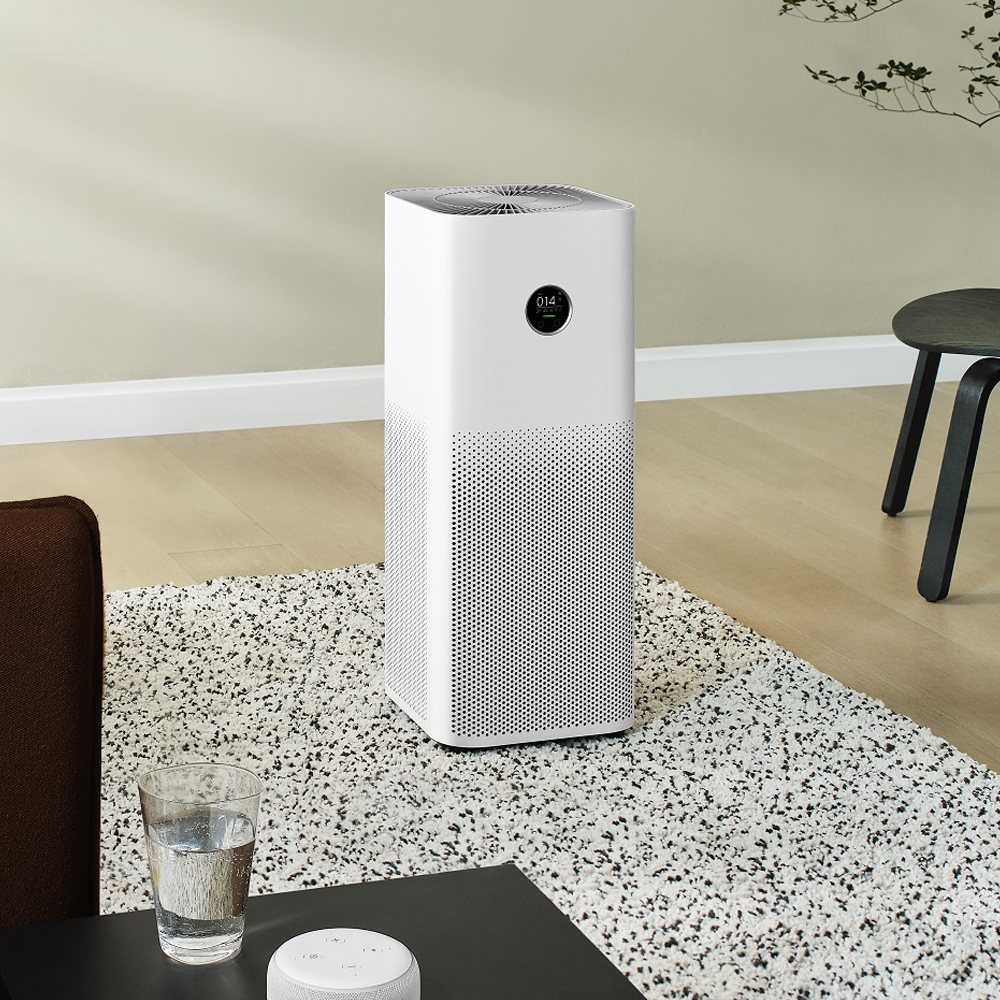
The “Set It and Forget It” Myth: Why One Setting Doesn’t Fit All
Many people hope to find that one magical setting they can leave their air purifier on 24/7. While modern purifiers are incredibly smart, the truth is that your indoor air quality is constantly changing. Think about your home like a living, breathing ecosystem.
- Morning Rush: Kids are getting ready for school, you’re making toast (which can release particles!), and dust gets kicked up.
- Midday Calm: The house is quiet, and the air is relatively still.
- Afternoon Arrival: The dog comes in from a walk, bringing pollen and dander with him.
- Evening Cooking: That delicious seared salmon is great for dinner, but it’s also releasing smoke, odors, and VOCs (Volatile Organic Compounds) into the air.
A single, low fan speed might not be enough to handle that cooking smoke, while running it on Turbo all day will send your electricity bill soaring and make your living room sound like a wind tunnel. The key is to match the purifier’s setting to the real-time needs of your environment.
Understanding Your Air Purifier’s Arsenal: The Core Settings Explained
Before we decide on a strategy, let’s understand the tools at your disposal. Most air purifiers come with a few standard settings.
Manual Fan Speeds (Low, Medium, High/Turbo)
This is your direct control. Think of it like the gas pedal on a car.
- Low: This is the quiet, energy-efficient setting. It’s great for maintaining already clean air or for use overnight in a bedroom when you need silence. It’s sipping power and whispering quietly.
- Medium: A solid all-around choice. It offers a good balance between cleaning power, noise level, and energy consumption. This is a workhorse setting for general daytime use.
- High/Turbo: This is your “power-clean” mode. It moves the maximum amount of air, capturing pollutants at the fastest rate. It’s loud and uses the most energy, but it’s perfect for quickly clearing the air after an event—like burning popcorn, dealing with a flood of pollen from an open window, or after vacuuming.
Auto Mode: The Smart Co-Pilot
This is where modern air purifiers really shine. Auto Mode uses an integrated air quality sensor (usually a particle sensor) to detect the level of pollutants in your air in real-time.
- How it works: The sensor constantly “sniffs” the air. If it detects a spike in dust, smoke, or other particles, it automatically ramps up the fan speed to High or Turbo. Once the air is clean again, it dials the fan back down to a quiet, low setting.
- The benefit: It’s the closest you’ll get to a “set it and forget it” solution. It’s reactive, efficient, and saves you from having to manually adjust the settings all day.
Sleep Mode: The Silent Guardian
Sleep Mode is designed specifically for nighttime use. When activated, it typically does two things:
- Runs the fan on its lowest, quietest setting.
- Dims or completely turns off all the bright indicator lights on the control panel.
This ensures the purifier continues to clean your air while you sleep without any disruptive noise or light pollution—a must-have for light sleepers.
So, What Setting Should I Leave My Air Purifier On? The Real Answer
Okay, here’s the practical, day-to-day strategy. The best approach isn’t a single setting, but a smart combination based on your life and your home’s specific challenges.
Dr. Eleanor Vance, an Indoor Air Quality (IAQ) specialist, often reminds her clients: “An air purifier is only effective if it’s running. Auto Mode provides a fantastic baseline, ensuring the unit responds when threats appear, but don’t be afraid to use manual controls for predictable pollution events. Think of it as a partnership between you and the machine.”
Here’s my recommended approach for different scenarios:
For General, Everyday Use: Auto Mode is Your Best Friend
For 80% of the time, leaving your air purifier on Auto Mode is the most effective and efficient strategy. It takes the guesswork out of the equation. It will work hard when it needs to (like when you’re dusting) and conserve energy when the air is clear. This is the ideal baseline setting for living rooms, home offices, and main living areas.
During High-Pollen or Allergy Season: A More Aggressive Approach
If you or a family member suffers from allergies, you need to be more proactive.
- Run on Medium or High: During peak hours (usually morning and evening when pollen counts are highest), manually set the purifier to a medium or high setting for a couple of hours, even if you keep the windows closed.
- Utilize Auto Mode Otherwise: For the rest of the day, switch back to Auto Mode to handle any fluctuations.
- Bedroom Strategy: Run the purifier on high in your bedroom for an hour before you go to sleep. This “scrubs” the air and creates a clean sanctuary. Then, switch to Sleep Mode or the lowest manual setting when you get into bed.
When Cooking or Dealing with Strong Odors: Go Manual with Turbo
Your air quality sensor is good, but it can’t predict you’re about to sear a steak. When you start cooking, or if there’s a new paint smell or smoke from outside, don’t wait for Auto Mode to catch up.
- Be Proactive: Manually crank the fan to High or Turbo as soon as the pollution event begins.
- Let It Run: Leave it on high for 30-60 minutes after the event has finished to clear out any lingering particles and odors.
- Return to Auto: Once the air feels fresh again, switch it back to Auto Mode.
For Nighttime in the Bedroom: Sleep Mode or Low
The goal here is undisturbed rest.
- If you have Sleep Mode, use it. The combination of quiet operation and no lights is unbeatable.
- If you don’t have Sleep Mode, simply set the fan to its lowest manual setting. The gentle white noise can even help some people sleep better.
The Science Behind the Settings: Key Metrics You Can’t Ignore
Understanding why these settings matter requires a quick look at the numbers that define an air purifier’s performance. Knowing these will help you understand what’s happening when you choose a setting.
What is CADR and why does it matter?
CADR stands for Clean Air Delivery Rate. It’s a measurement of the volume of filtered air a purifier can deliver. A higher CADR means the unit can clean a room’s air faster. Fan settings directly control the CADR. On Low, the CADR is low; on High/Turbo, you’re getting the maximum CADR listed on the box.
What about ACH (Air Changes per Hour)?
ACH tells you how many times the purifier can completely filter all the air in a given room in one hour. For allergy sufferers, experts recommend a purifier capable of at least 4-5 ACH. Your fan setting determines if you’re actually achieving that. Running it on Low in a large room might only give you 1 ACH, which isn’t enough to make a significant difference for someone with asthma.
Room Size Recommendations
The manufacturer’s recommended room size is almost always based on running the purifier on its highest setting. If you plan to run your unit on a quieter medium or low setting most of the time, you should consider choosing a purifier rated for a slightly larger room than the one you have. This ensures you’re still getting adequate air cleaning power at a comfortable noise level.
Beyond the Basics: Advanced Features and When to Use Them
Some purifiers come with extra bells and whistles. Here’s how they fit into your settings strategy:
- Smart Sensors (VOCs, PM2.5): Basic sensors only detect larger particles (dust, pollen). More advanced units have specific PM2.5 sensors for fine smoke and pollution particles, and VOC sensors for gases and odors. If your unit has these, Auto Mode becomes even more powerful and accurate.
- Wi-Fi and App Control: This allows you to adjust settings remotely. See that the local air quality index is poor? You can turn your home’s purifier up to high from your office before you even head home.
- Scheduling: Many smart purifiers allow you to create a schedule. For example: Low overnight, Medium during the day, High for an hour in the evening, and then back to Low. This is the ultimate way to customize performance.
Keeping Your Purifier in Fighting Shape: Maintenance is Key
No matter what setting you use, a clogged filter will cripple your air purifier’s performance. A dirty filter reduces airflow, forcing the motor to work harder and clean the air less effectively.
- Check Your Pre-Filter: Most units have a washable mesh pre-filter that catches large debris like hair and pet fur. Clean this every 2-4 weeks. Simply rinse it under water, let it dry completely, and pop it back in.
- Heed the Filter Change Indicator: Your HEPA and Activated Carbon filters are the heart of the machine. Don’t ignore the filter replacement light. Most last between 6-12 months.
- Wipe Down the Unit: Dust the exterior and the sensor vents regularly with a soft, dry cloth to ensure the sensors are getting an accurate reading of your air.
Frequently Asked Questions (FAQ)
1. Should I run my air purifier 24/7?
Absolutely. Indoor air pollution is a continuous problem. To maintain clean air, your purifier needs to be running constantly. Using Auto Mode or a low setting makes running it 24/7 both energy-efficient and effective.
2. Is it expensive to leave an air purifier on all the time?
Not as much as you might think. Most modern air purifiers with an Energy Star rating are very efficient. On a low setting, many use less electricity than a standard light bulb. The cost is minimal for the significant health benefits.
3. Will running the fan on high wear out the motor faster?
While technically true over a very long period, air purifier motors are designed for continuous use. The health benefits of quickly clearing polluted air far outweigh the negligible impact on the motor’s lifespan. Don’t be afraid to use the high setting when you need it.
4. How do I know if my Auto Mode is working correctly?
Test it! Light a match or a candle (safely!) a few feet away from the unit. The particle sensor should detect the smoke within a minute or so and ramp up the fan speed. If it doesn’t react, check that the sensor isn’t blocked or dirty.
5. What is the best setting on my air purifier for wildfire smoke?
For wildfire smoke, you need an aggressive approach. Run your purifier on the highest possible setting (Turbo) as much as you can tolerate. Smoke is made of tiny, harmful PM2.5 particles, and you want the highest CADR and ACH you can get to remove them from your air quickly. Ensure you have a quality HEPA filter and an activated carbon filter for the gases and odors.
The Takeaway: Be a Pilot, Not Just a Passenger
So, to circle back to our original question: what setting should I leave my air purifier on? The answer is to think dynamically. Use Auto Mode as your reliable default, but don’t hesitate to take manual control and crank it up to High or Turbo when you know trouble is in the air. Use Sleep Mode or Low to protect your rest.
By understanding your machine’s settings and matching them to the rhythm of your daily life, you transform your air purifier from a passive appliance into an active guardian of your home’s health. You’re not just a passenger hoping for clean air; you’re the pilot, making smart decisions to ensure you and your family are breathing the best, every single day. Now go ahead and start your journey to cleaner air today.