Let’s be real for a moment. You’ve finally decided to invest in your health by getting an air purifier. You unbox it, set it up in your bedroom, and look forward to breathing pristine, allergen-free air all night long. You turn it on, and… it sounds like a small jet engine is preparing for takeoff next to your bed. Suddenly, that dream of a peaceful, sniffle-free slumber feels a million miles away. This is where a little button or setting can be a total game-changer. So, What Is Sleep Mode On An Air Purifier and why is it one of the most underrated features for a good night’s rest?
You’ve come to the right place. Here at Air Purifier Guy, my job isn’t to sell you a box with a fan in it; it’s to demystify the tech so you can make the best choice for your home and your health. Think of me as your friendly guide through the sometimes-confusing world of air purification. We’re going to break down sleep mode, explore why it’s crucial, and then zoom out to see how it fits into the bigger picture of creating your own personal clean air sanctuary.
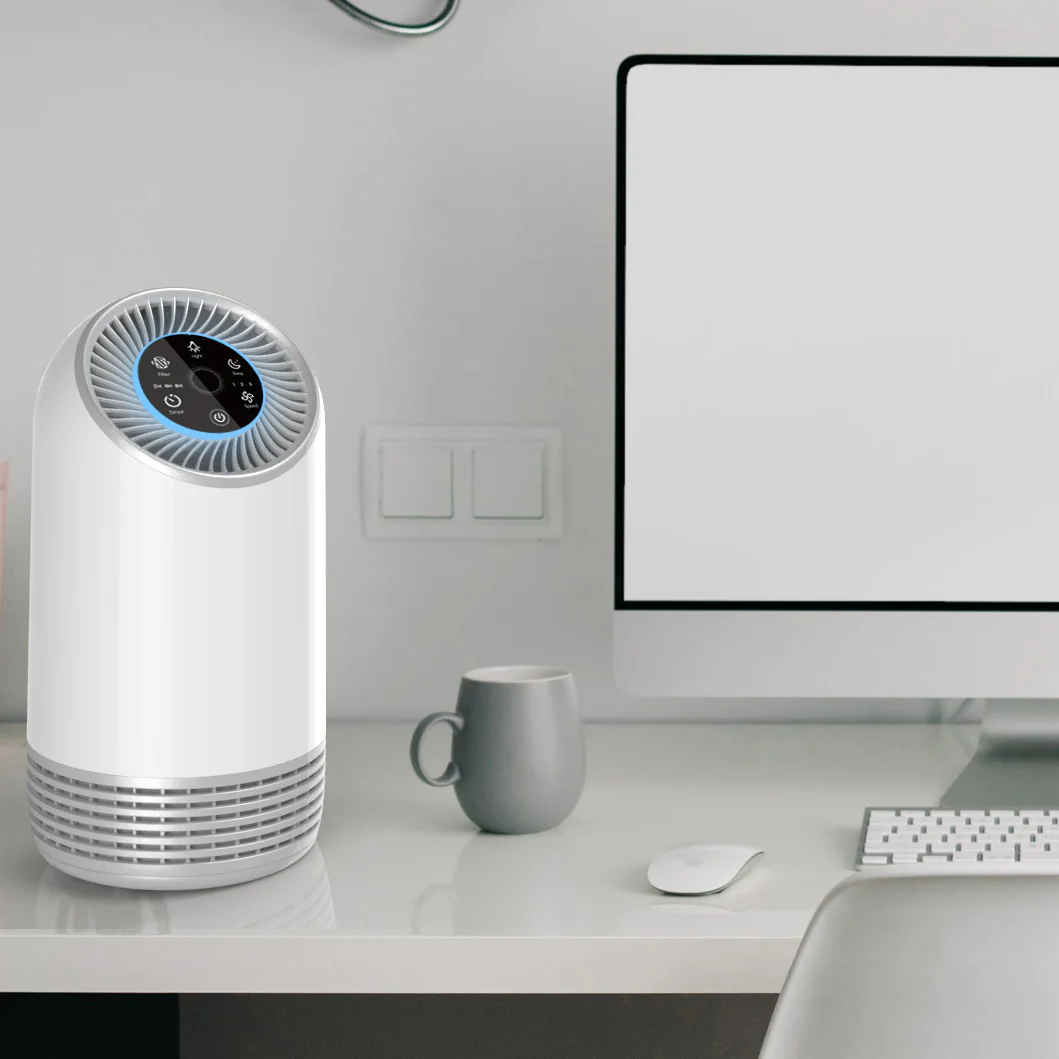
The Lowdown on Sleep Mode: What Is It, Really?
In simple terms, Sleep Mode is a special setting on an air purifier designed to run the unit as quietly as possible while you rest. It’s a feature born from a simple, universal truth: nobody can sleep soundly with a racket going on in their room. Manufacturers know this, so they created a way for you to get the benefits of air purification without the disruptive noise.
Think of it as your purifier putting on its slippers and using its “inside voice.” When you activate Sleep Mode, a few things typically happen:
- The Fan Speed Drops: This is the main event. The purifier switches to its lowest possible fan setting. A slower fan means less air being pushed through the filters, which dramatically reduces the motor and wind noise.
- The Lights Dim or Turn Off: Have you ever been annoyed by the blinding blue light from a tiny power indicator in a pitch-black room? Sleep Mode gets it. It either significantly dims all display lights or turns them off completely, ensuring your sleep cycle isn’t disturbed by light pollution.
- Ionizers and Other Features May Deactivate: Some units with ionizers or UV-C lamps might turn these features off in Sleep Mode, as they can sometimes produce a faint buzzing or crackling sound.
A Note from the Guy: Is it still effective on low? Absolutely. While the Clean Air Delivery Rate (we’ll get to that) is lower in Sleep Mode, it’s still actively capturing dust, pollen, and pet dander floating in your bedroom. The key is continuous filtration. Running it on low all night is infinitely better than turning it off completely.
So, Why Do You Even Need an Air Purifier in the First Place?
Before we dive deeper into features, let’s have a quick heart-to-heart about the air inside your home. It’s easy to think of your house as a safe haven from outside pollution. But according to the U.S. Environmental Protection Agency (EPA), indoor air can often be two to five times more polluted than the air outside. Scary, right?
This is because modern homes are sealed up tight for energy efficiency, which means airborne irritants get trapped inside with you. Your indoor air is a unique cocktail of particles and gases, including:
- Allergens: Dust mites, pollen that sneaks in on your clothes, pet dander from your furry friends, and mold spores. This was my personal reason for getting into air purification—my own battle with seasonal allergies was relentless until I started cleaning my air.
- Particulate Matter (PM2.5): These are microscopic particles from sources like cooking, burning candles, wildfire smoke, and general pollution that can penetrate deep into your lungs.
- Volatile Organic Compounds (VOCs): These are gases off-gassed from everyday items like paint, new furniture, cleaning products, and air fresheners. They’re responsible for that “new car smell,” but they aren’t great to breathe in 24/7.
- Odors: Lingering smells from cooking, pets, or a musty basement.
An air purifier is your first line of defense, working tirelessly to capture these unwanted guests and leave you with fresh, clean, breathable air.
How Air Purifiers Work: The Magic Inside the Box
To appreciate what a purifier does on Sleep Mode, you need to understand what it’s doing on any mode. Most quality air purifiers use a multi-stage filtration system, typically involving two key players.
The HEPA Filter: Your Microscopic Particle Bouncer
This is the star of the show. HEPA stands for High-Efficiency Particulate Air. A True HEPA filter is certified to capture at least 99.97% of airborne particles down to 0.3 microns in size.
How small is 0.3 microns? Imagine a single human hair. A 0.3-micron particle is about 200 times smaller. This is the size range that includes most dust, pollen, pet dander, and mold spores. The HEPA filter is like a bouncer at an exclusive club for clean air—if a particle is on the list of troublemakers, it’s not getting through.
Activated Carbon: The Odor and Gas Sponge
While a HEPA filter is a master of capturing solid particles, it can’t do anything about gases, chemicals, and odors. That’s where activated carbon comes in. Think of it as a highly porous sponge. Its massive surface area is created through a special treatment process, allowing it to adsorb (or trap) gas molecules like VOCs, smoke, and cooking smells. If you’re concerned about odors, a unit with a substantial carbon filter is non-negotiable.
As Dr. Eleanor Vance, an Indoor Air Quality (IAQ) specialist, often reminds her clients, “A HEPA filter is your first line of defense against microscopic particles, but don’t underestimate the power of activated carbon for gaseous pollutants. The two work as a team to provide comprehensive air cleaning.”
Key Metrics: Decoding the Spec Sheet Like a Pro
Alright, let’s get into the nitty-gritty. When you’re comparing models, you’ll see a bunch of acronyms. Don’t let them intimidate you. There are really only two you need to master.
What is CADR?
CADR stands for Clean Air Delivery Rate. It’s a standard metric that tells you how quickly the purifier can clean a room of a specific size. It’s measured in cubic feet per minute (CFM) and is broken down into three numbers for:
- Smoke (smallest particles)
- Dust (medium particles)
- Pollen (largest particles)
The higher the CADR numbers, the faster the unit cleans the air. A good rule of thumb is to choose a purifier with a CADR rating that is at least two-thirds of your room’s square footage. For example, for a 300 sq. ft. room, you’d want a purifier with a CADR of at least 200 for smoke.
What About ACH?
ACH stands for Air Changes Per Hour. This tells you how many times the purifier can completely filter all the air in a given room in one hour. For general health, you want a unit that provides at least 2 ACH. For allergy or asthma sufferers, aiming for 4-5 ACH is ideal. This ensures that airborne irritants are removed from the air much more frequently, giving them less time to settle or be inhaled.
Beyond Sleep Mode: Features That Make a Difference
While what is sleep mode on an air purifier is a critical question for light sleepers, it’s just one piece of the puzzle. Modern purifiers are packed with smart features that can make your life easier.
Smart Sensors and Auto Mode
This is arguably the most important feature to pair with Sleep Mode. A purifier with an air quality sensor (usually a particle or laser sensor) can detect the level of pollution in your air in real-time.
When set to Auto Mode, the purifier uses this data to adjust its fan speed automatically. If you start cooking and smoke fills the air, it will ramp up to high to clear it quickly. Once the air is clean, it will ramp back down to a lower, quieter setting. This is brilliant because:
- It’s efficient: It only uses high power when necessary, saving energy.
- It’s effective: You don’t have to guess when to turn it up or down.
- It’s convenient: It’s a true “set it and forget it” experience.
Many units with Auto Mode will automatically switch to Sleep Mode when the room gets dark, which is the peak of hands-free convenience.
Wi-Fi Connectivity and App Control
Want to control your air purifier from your phone? Many models now offer Wi-Fi connectivity. This allows you to:
- Adjust settings remotely.
- Set schedules (e.g., run on high an hour before you get home).
- Monitor your indoor and outdoor air quality.
- Get reminders when it’s time to change the filter.
Keeping It Fresh: Maintenance and Filter Replacement Tips
Your air purifier is only as good as its filters. A clogged filter can’t clean the air effectively and can even put a strain on the motor. Here’s how to keep your machine running in tip-top shape:
- Check the Pre-Filter: Most units have a washable mesh pre-filter that catches larger debris like hair and pet fur. You should check and clean this every 2-4 weeks. Simply rinse it under water, let it dry completely, and pop it back in.
- Know Your Filter Lifespan: HEPA and carbon filters are not washable. They need to be replaced. Most filters last between 6 to 12 months, but this depends heavily on your air quality and how often you run the unit.
- Heed the Filter Indicator: Don’t ignore that little light! Most modern purifiers have a filter replacement indicator that takes the guesswork out of maintenance. Order a new filter as soon as it comes on.
Frequently Asked Questions (FAQ)
Can I just run my air purifier on sleep mode all the time?
You can, but it’s not ideal. While it’s better than nothing, Sleep Mode operates at a very low CADR. For the best results, you should run the purifier on Auto Mode or a medium setting during the day to handle higher pollution levels, and then switch to Sleep Mode at night.
Does sleep mode on an air purifier use less electricity?
Yes, significantly. Because the fan is running at its lowest speed, the unit consumes far less energy in Sleep Mode compared to its medium or high settings, making it very economical for overnight use.
Is sleep mode still effective against allergens like pollen and dust?
Yes. It continues to circulate and filter the air, capturing any allergens that become airborne while you sleep. For severe allergy sufferers, this continuous, gentle cleaning can make a huge difference in waking up with a clear head.
How quiet is an air purifier in sleep mode?
This varies by model, but most high-quality units are whisper-quiet in Sleep Mode, typically running between 20-30 decibels (dB). For comparison, a quiet library is about 40 dB, and a whisper is around 25 dB. You likely won’t even notice it’s on.
If my purifier has Auto Mode, do I still need Sleep Mode?
They work best together! A good Auto Mode will automatically switch to Sleep Mode when it detects a dark room. However, some people prefer manual control and will switch to Sleep Mode themselves to guarantee the quietest possible operation all night, regardless of sensor readings.
Your Journey to Better Breathing Starts Now
So, what is sleep mode on an air purifier? It’s more than just a button; it’s your ticket to a night of uninterrupted, clean breathing. It’s the feature that bridges the gap between powerful air purification and peaceful rest.
By understanding how it works in tandem with core technologies like HEPA filters, activated carbon, and smart sensors, you are now empowered to look past the marketing jargon and choose a machine that genuinely fits your life. Your goal isn’t just to buy an appliance; it’s to create a healthier environment for yourself and your family. And a great air purifier, with a well-designed sleep mode, is one of the most effective tools to help you achieve that. Start your journey to cleaner air today—your lungs will thank you for it.