There’s a certain peace of mind that comes with the gentle hum of an air purifier, the quiet sound of cleaner, healthier air circulating through your home. It’s a background noise we learn to love. But what happens when that reassuring sound suddenly stops? The lights might be on, but the air is stagnant. You’ve got a classic, and frustrating, case of an Air Purifier Fan Not Working. It feels like your home’s first line of defense against dust, allergens, and funky smells has suddenly gone on strike.
Don’t panic. Before you start drafting its obituary or browsing for a replacement, take a deep breath (of the currently un-purified air, I know). As the Air Purifier Guy, I’ve seen this issue countless times. More often than not, the culprit is something surprisingly simple that you can fix yourself in just a few minutes. This guide is your step-by-step battle plan to diagnose the problem, get that fan spinning again, and restore the flow of clean air your family relies on. Let’s get to work and solve this.
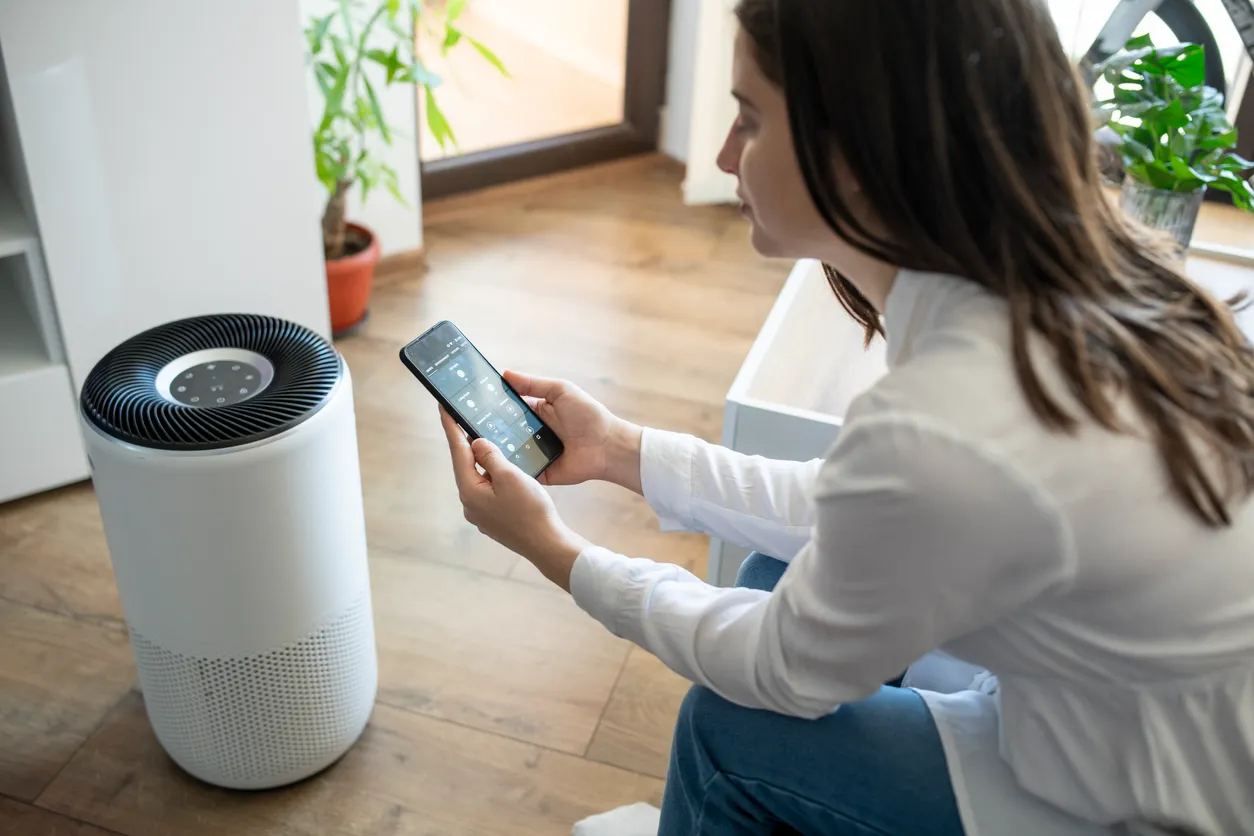
First, The Obvious Checks (You’d Be Surprised!)
Before we dive into the guts of your machine, let’s cover the basics. I know it sounds simple, but my own experience has taught me that the simplest solution is often the right one. Have you ever spent an hour troubleshooting a gadget only to realize it wasn’t plugged in? Yeah, me too.
So, let’s rule out the easy stuff first:
- Is it plugged in securely? Check both the wall outlet and the connection point on the air purifier itself. Sometimes a loose cord is all it takes to cut the power to the fan.
- Does the outlet work? Plug a lamp or your phone charger into the same outlet to confirm it has power. A tripped circuit breaker could be the silent villain here.
- Check the control panel settings. Is the unit in a ‘sleep mode’ or ‘timer’ setting that has turned the fan off? Is the fan speed set to zero or an ‘auto’ mode that has paused because the air quality is currently good? Cycle through the fan speeds manually to see if it kicks on.
- Is Child Lock engaged? Many modern units have a child lock feature that can disable the controls. Check your manual to see how to disable it.
If you’ve checked all these and the fan is still stubbornly silent, it’s time to roll up our sleeves and look a little deeper.
Common Culprits: Why Your Air Purifier Fan is on Strike
When the basic checks don’t work, it’s time to investigate the most common reasons why an air purifier fan not working becomes a problem. Think of yourself as a detective; we’re looking for clues. The most likely suspect is almost always related to airflow.
The Number One Suspect: A Severely Clogged Filter
This is, by far, the most frequent cause of a non-spinning fan. Your air purifier’s filter, especially the main HEPA filter, is designed to trap an incredible amount of airborne gunk—dust, pollen, pet dander, mold spores, you name it. Over time, that filter gets saturated.
As David Chen, an experienced HVAC engineer, often explains, “The fan motor is the heart of your air purifier. Forcing it to work against a completely clogged filter is like making a heart pump sludge instead of blood. The motor strains, overheats, and many modern units have a safety feature that will shut the fan down to prevent it from burning out.”
Imagine trying to breathe through a thick, dusty blanket. That’s what your purifier’s fan is doing when the filter is past its prime. It simply can’t pull air through the dense wall of trapped pollutants.
How to Check:
- Unplug your air purifier. Safety first, always!
- Open the unit and remove the filters. This usually involves a front or back panel that pops off.
- Visually inspect the HEPA filter. Is it dark gray or black instead of white? Does it look caked with dust and debris?
- If you have a washable pre-filter, check it as well. It’s the first line of defense and can get clogged quickly, especially in homes with pets.
If your filters look like they’ve survived a dust storm, you’ve likely found your problem.
Obstructions and Blockages: Something is in the Way
Sometimes the issue isn’t the filter itself but something physically blocking the fan. This can happen internally or externally.
- External Obstructions: Is your air purifier pushed up against a wall, a curtain, or a piece of furniture? The air intake and outlet vents need several inches of clear space to breathe. If they’re blocked, the fan can’t create the necessary airflow and may shut down or fail to start.
- Internal Obstructions: This is more common after a filter change or if the unit has been dropped. A piece of plastic packaging that wasn’t removed, a dislodged filter, or even a stray bit of debris could be physically jamming the fan blades.
How to Check:
- With the unit unplugged, ensure the air vents are clear of any external blockages.
- Open the unit again. Carefully look inside the fan housing area (without sticking your fingers in!). Use a flashlight to see if anything looks out of place or is touching the fan blades.
Incorrect Assembly: The Post-Maintenance Mistake
This happens to the best of us. You just replaced the filter, put everything back together, and now… nothing. Many air purifiers have safety sensors or kill switches that prevent the unit from operating if the cover isn’t seated perfectly.
If the air purifier fan not working issue started right after you performed maintenance, this is a very likely cause. The machine thinks it’s still “open” for surgery and won’t turn on the fan as a safety precaution.
How to Check:
- Unplug the unit.
- Carefully remove the cover or filter housing again.
- Re-insert the filters, making sure they are oriented correctly (look for arrows indicating airflow direction).
- Place the cover back on, ensuring it clicks or snaps securely into place on all sides. You should feel a solid, flush fit.
A Step-by-Step Troubleshooting Guide to Get Your Fan Spinning
Okay, let’s put it all together into an actionable checklist. Follow these steps in order to diagnose and fix the issue.
- Safety First: Unplug the Unit. Before you do anything else, disconnect the air purifier from the wall outlet. Never attempt to inspect or clean the unit while it’s connected to power.
- Perform the Basic Power Check. Confirm the outlet works and the cord is securely fastened at both ends.
- Review the Control Panel. Double-check that you’re not in a timer, sleep, or child-locked mode that is intentionally keeping the fan off.
- Open the Unit and Inspect the Filters.
- Remove the front or back cover.
- Take out all filters: the pre-filter, the activated carbon filter, and the main HEPA filter.
- Examine them closely. If the HEPA filter is dark gray/black and clogged, it’s almost certainly the problem. This is a good time to order a replacement. If the pre-filter is washable, give it a thorough cleaning according to the manufacturer’s instructions and let it dry completely.
- Test Without the Filters (Briefly!). This is a key diagnostic step.
- With the filters removed, put the cover back on securely.
- Plug the unit in and try to turn it on.
- If the fan spins to life, you have 100% confirmed that your clogged filters were the culprit.
- Important: Do not run the purifier for more than a few seconds without its filters. They are essential for protecting the motor from dust and for cleaning the air. This is purely a test.
- Check for Internal and External Blockages.
- Unplug the unit again.
- Use a flashlight to peer into the fan chamber. Look for any foreign objects.
- Ensure the air intake and outlet grilles are clean. Use a vacuum cleaner with a brush attachment to gently clear away any dust buildup on the outside of the unit.
- Ensure Proper Reassembly.
- If you’ve cleaned or are replacing the filters, carefully place them back inside in the correct order and orientation.
- Secure the cover, making sure every latch and tab is properly engaged. A loose cover is a common reason for a unit refusing to start.
- The “Gentle Tap” Method. If you suspect something is just slightly stuck, and you’ve checked everything else, sometimes a very gentle tap on the side of the unit can be enough to nudge a fan that’s slightly seized. This is a last resort before considering more serious issues.
When to Call It a Day: Knowing Your Limits
If you’ve gone through all the steps above and your air purifier fan not working problem persists, it may be time to concede that the issue is internal and more serious. This could include:
- A failed fan motor: Like any motor, it can burn out over time, especially if it’s been running for years against clogged filters.
- A faulty capacitor: This small component helps the fan motor start. If it fails, the motor may hum but won’t be able to spin.
- A broken sensor or circuit board: The internal electronics that control the fan could have failed.
Unless you are experienced with electronics repair, I strongly advise against trying to disassemble the motor or circuit board. It can be dangerous and will almost certainly void your warranty. At this point, your best options are to contact the manufacturer’s customer support if it’s still under warranty or consult a professional appliance repair service.
Frequently Asked Questions (FAQ)
Q1: Can a dirty filter really stop the fan completely?
Absolutely. A filter that is completely clogged with particulate matter can create so much air resistance that the fan motor cannot overcome it. Many modern purifiers have thermal overload sensors that will shut the fan off to prevent the motor from burning out, leading to a situation where your air purifier fan not working is actually a safety feature in action.
Q2: My air purifier turns on, but the fan doesn’t spin. What does that mean?
This is a classic symptom. It tells you the unit is getting power, so the problem isn’t the plug or the outlet. The most likely causes, in order, are: a safety switch being disengaged due to an improperly closed cover, a severely clogged filter preventing rotation, or a failed fan motor or capacitor. Follow the troubleshooting steps above to diagnose.
Q3: How often should I change my air purifier’s filters to prevent this?
This depends heavily on your environment and usage. A general rule of thumb from the EPA (Environmental Protection Agency) and most manufacturers is to replace the HEPA filter every 6 to 12 months and the activated carbon filter every 3 to 6 months. Clean a washable pre-filter every 30 days. If you have pets, smokers, or live in an area with high pollution, you’ll need to check and change them more frequently.
Q4: Is it safe to run an air purifier if the fan is making a strange noise?
No. A new grinding, rattling, or whining noise is a sign of trouble. It could indicate that the fan blades are hitting an obstruction, or the motor’s bearings are failing. Turn off and unplug the unit immediately and inspect it for blockages. Continuing to run it could cause permanent damage.
Q5: Will resetting my air purifier fix the fan?
Sometimes, a simple power cycle can resolve a minor electronic glitch. To do this, unplug the unit from the wall, wait for a full minute to allow the internal capacitors to discharge, and then plug it back in. This can sometimes clear an error, but it won’t fix a physical problem like a clogged filter or a broken motor.
Conclusion: Restoring Your Home’s Clean Air Guardian
A silent air purifier can be unsettling, but it’s rarely a cause for alarm. By systematically working through the potential issues, from the simplest power plug to the dirtiest filter, you can often diagnose and solve an air purifier fan not working problem on your own. Remember that your purifier is a hardworking appliance, and regular maintenance is the key to its longevity and performance. Clogged filters are not just an inconvenience; they are the root cause of most fan-related failures.
Treating your air purifier well—by giving it space to breathe and providing it with clean filters on a regular schedule—is the best way to ensure it can continue its vital work of protecting your home’s air quality. Now, hopefully with a newly spinning fan and fresh filters, you can once again enjoy the peace of mind that comes with that gentle, life-giving hum. Your journey to consistently cleaner air is back on track.