That moment of silence can be deafening, can’t it? You press the power button on your trusty air purifier, expecting the familiar, gentle hum of clean air circulation, but instead… nothing. If your air purifier is not turning on, the most common causes are a loose power connection, a tripped circuit breaker, an improperly seated filter or cover, or an activated child lock. Before you consider replacing your unit, a simple troubleshooting process can often resolve these issues in minutes. I’m your Air Purifier Guy, and I’ve been in this exact spot. It’s frustrating, especially when you’re counting on it to tackle seasonal allergies or clear the air of last night’s cooking smells. Before you start pricing out a new unit or preparing for a warranty claim nightmare, let’s walk through a simple, step-by-step troubleshooting process. More often than not, the fix is surprisingly simple. We’ll get to the bottom of this together and, hopefully, have your machine back up and running in minutes.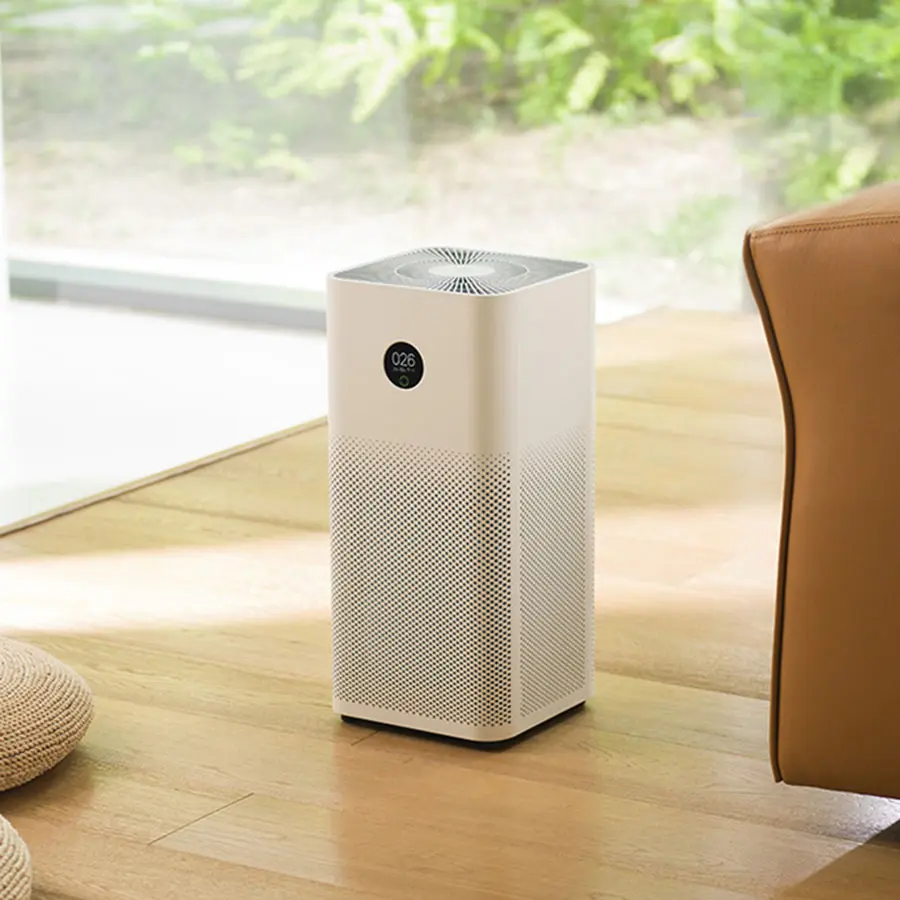
Your First-Aid Checklist: Why My Air Purifier Is Not Turning On
Let’s start with the most common culprits. Think of this as the basic triage for your machine. We’ll move from the simplest solutions to the slightly more involved ones.
1. Check the Obvious: Power and Outlet
I know, I know. It sounds too simple, but you’d be amazed how often this is the issue. In our rush, we can overlook the basics.
- Is it firmly plugged in? Wiggle the plug at both the wall outlet and the back of the air purifier. Sometimes a loose connection is all it takes to cut the power.
- Does the outlet work? Unplug the air purifier and plug in something you know works, like a lamp or a phone charger. If that device doesn’t turn on, you’ve found your problem: a dead outlet or a tripped circuit breaker. Head to your fuse box and see if any switches are flipped.
- Is the power cord damaged? Give the entire length of the cord a quick inspection. Look for any kinks, frays, or chew marks from a curious pet. A damaged cord is a safety hazard and needs to be replaced.
2. The Filter and Cover Sensors
Modern air purifiers are designed with safety in mind. Most units have a safety switch that prevents them from operating if the front cover or filter compartment isn’t properly secured. This is to stop little fingers (or paws) from getting near the fan.
- Reseat the front cover: Open the cover or panel that gives you access to the filters. Close it again, making sure you hear a distinct click or feel it snap securely into place.
- Check the filter placement: Was the filter recently changed? Sometimes, if the filter isn’t seated perfectly in its housing, it can prevent the cover from closing properly, which in turn stops the safety sensor from engaging. Take the filter out and put it back in, ensuring it’s flush and correctly oriented. Many filters have arrows indicating airflow direction.
- Remove all the plastic wrap: This is a classic rookie mistake, and trust me, we’ve all been there. New filters almost always come sealed in plastic. If you forget to remove it, not only will the air not get purified, but it can also block sensors or cause the machine to overheat and shut down. If your air purifier is not turning on right after a filter change, this is the first thing to check.
3. Inspect the Child Lock Feature
The child lock is a fantastic feature for parents, but it can be a real head-scratcher if you’ve activated it by accident.
- Look for a button with a padlock icon or a “Lock” label.
- Typically, you need to press and hold this button for 3-5 seconds to deactivate it. The user manual will have the specific instructions for your model if you’re unsure.
4. The Internal Timer or Schedule
Does your air purifier have smart features or a programmable timer? It’s possible a schedule has been set that commands it to be off during this time. Check the companion app on your phone or the unit’s control panel to ensure there isn’t an active “Off” schedule interfering.
5. Give It a Hard Reset
Like any piece of modern electronics, an air purifier’s internal computer can sometimes get a little confused. A hard reset can often clear the glitch.
- Unplug the air purifier from the wall outlet.
- Wait for at least 60 seconds. This allows the internal capacitors to fully discharge.
- Press and hold the power button for about 15 seconds while the unit is still unplugged. This helps drain any residual power.
- Plug it back in and try to turn it on again.
If you’ve gone through all these steps and your machine is still unresponsive, it might indicate a more serious internal issue, like a faulty power supply or a fried control board. At that point, it’s time to check your warranty and contact customer support.
Understanding the ‘Why’: How Air Purifiers Work
When an air purifier won’t start, it’s often a breakdown in a very simple, logical system. Understanding how these machines work can help you diagnose problems and, more importantly, choose the right one in the future.
As Dr. Eleanor Vance, an Indoor Air Quality (IAQ) specialist, often reminds her clients, “An air purifier is a simple concept with sophisticated execution. It’s an engine designed for one purpose: to move air through a filter. If the engine can’t start, it’s usually a problem with the fuel line—the power—or a safety check, like the filter placement.”
An air purifier is essentially a fan and a filter system in a box. The fan draws in the polluted air from your room, forces it through a series of filters, and then releases the clean, fresh air back into your living space. The magic happens in the filters.
Core Technologies Explained
Bảng trống.- HEPA Filters: This is the gold standard, and you’ll hear me talk about it a lot. A True HEPA filter is a physical mesh of ultra-fine fibers that is certified to capture 99.97% of airborne particles down to 0.3 microns in size. Think of it as an incredibly fine net that catches things you can’t even see: dust mites, pet dander, pollen, mold spores, and even some bacteria and viruses.
- Activated Carbon Filters: While HEPA is the king of particles, activated carbon is the master of gases and odors. Its surface is incredibly porous, creating a massive surface area that traps gas molecules, like Volatile Organic Compounds (VOCs) from paint and new furniture, smoke, and cooking smells. It’s like a sponge for bad odors.
- Pre-Filters: This is the unit’s first line of defense. It’s a washable screen that catches the big stuff—pet hair, large dust bunnies, and lint. Protecting the more delicate HEPA and carbon filters behind it allows them to last longer and work more effectively. A clogged pre-filter can sometimes restrict airflow so much that an advanced unit might shut down to prevent motor strain.
Key Metrics to Know Before You Buy (or Upgrade)
If your troubleshooting leads you to the conclusion that it’s time for a new machine, don’t just grab the first one you see. Understanding a few key specs will ensure you get a unit that actually cleans the air in your room effectively.
What is CADR in an air purifier?
CADR stands for Clean Air Delivery Rate. In simple terms, it’s a measure of how much clean air the purifier can produce in a given amount of time. It’s measured in cubic feet per minute (CFM) for three specific pollutants: dust, pollen, and smoke. The higher the CADR number, the faster it cleans the air.As a rule of thumb, you want a purifier with a CADR rating that is roughly two-thirds of your room’s square footage. So, for a 300-square-foot living room, you should look for a unit with a CADR of at least 200 for smoke. You can usually find this rating on the box or in the product specs, often certified by AHAM (the Association of Home Appliance Manufacturers).
Why does ACH matter?
ACH means Air Changes per Hour. This tells you how many times the air purifier can completely filter all the air in a designated room size within one hour. For general air quality improvement, an ACH of 2-3 is fine. However, for those with allergies or asthma, experts recommend an ACH of 4-5. This means the air is getting a complete scrub-down every 12-15 minutes, which is crucial for keeping allergens at bay.
Features That Make a Real Difference
Beyond the core performance, modern air purifiers come with a host of features. Here are the ones that actually matter:
- Smart Sensors & Auto Mode: This is a game-changer. An air purifier with an air quality sensor (usually a PM2.5 particle sensor) can detect the level of pollution in your air in real-time. In Auto Mode, it will automatically adjust its fan speed to match—ramping up when you’re cooking or when pollen blows in, and quieting down when the air is clean. This saves energy and ensures you’re only using the power you need.
- Noise Levels: Your purifier will be running for hours on end, possibly in your bedroom. Check the noise level, measured in decibels (dB). A good unit will be whisper-quiet on its lowest setting (around 25-30 dB) and no louder than a normal conversation on its highest setting (50-60 dB).
- Filter Life and Cost: The purifier itself is a one-time purchase, but filters are an ongoing cost. Check the manufacturer’s recommended replacement schedule (e.g., every 6-12 months) and the price of replacement filters. This “cost of ownership” is a crucial part of your decision.
Preventing Future Power-On Problems: A Maintenance Checklist
The best way to deal with a problem is to prevent it from happening. Regular maintenance will not only keep your air purifier turning on reliably but also ensure it’s cleaning your air at peak performance.
- Clean the Pre-Filter Regularly: For most units, this should be done every 2-4 weeks. Simply vacuum it gently or rinse it with water (make sure it’s completely dry before putting it back!).
- Wipe Down the Exterior and Sensors: Dust can accumulate on the air intake/outlet grills and on the air quality sensor. Use a soft, dry cloth to wipe the unit down every month.
- Replace HEPA and Carbon Filters on Schedule: Don’t try to stretch the life of your filters. A clogged filter severely reduces the unit’s CADR and puts a strain on the motor, which could lead to overheating and failure.
- Give It Room to Breathe: Don’t place your air purifier in a tight corner or push it right up against a wall. It needs about 1-2 feet of clearance on all sides to circulate air effectively.
Frequently Asked Questions (FAQ)
Q1: Why won’t my air purifier turn on after I changed the filter?This is almost always due to a safety sensor. The most likely causes are that you forgot to remove the plastic wrap from the new filter, the filter isn’t seated correctly in its housing, or the front cover isn’t securely latched, preventing the safety switch from engaging.Q2: Can a dirty filter stop my air purifier from turning on?Yes, in some advanced models. An extremely clogged filter can cause the motor to work too hard, potentially triggering an overheat protection circuit that shuts the unit down. While it won’t usually prevent it from turning on initially, it can cause it to shut off unexpectedly and refuse to restart until it cools down.Q3: My air purifier’s lights are on, but the fan isn’t spinning. What’s wrong?If the lights are on, it’s receiving power. This points to a few possibilities: the Child Lock feature might be engaged, preventing fan operation; it might be in a “sleep” or “quiet” mode where the fan is nearly silent; or there could be a mechanical issue with the fan motor itself. Try cycling through the fan speeds.Q4: How often should I really change my HEPA filter?This depends on your environment and usage. The manufacturer’s recommendation (e.g., 12 months) is a good baseline. However, if you live in a high-pollen area, have multiple pets, or live near a construction zone, you may need to change it more frequently, perhaps every 6-8 months. Most modern purifiers have a filter replacement indicator light to take the guesswork out of it.Q5: Is it safe to leave my air purifier running 24/7?Absolutely. In fact, they are designed to be run continuously to maintain clean air. Indoor air pollution is a constant issue. Leaving it on a low setting or in Auto Mode is the most effective way to keep your home’s air quality consistently high.
Your Journey to Cleaner Air Starts Now
Facing a machine that won’t power on is a hassle, but as we’ve seen, the solution is often within reach. By following these simple troubleshooting steps, you can solve the majority of issues that cause an air purifier to go on strike. And if it is time for a new one, you’re now armed with the knowledge of CADR, ACH, and the essential features to look for.Remember, the goal isn’t just to own a fancy gadget; it’s to create a healthier sanctuary for you and your family. A functional, efficient air purifier is a key tool in that effort. So, don’t let the problem of my air purifier is not turning on stop you. Troubleshoot, maintain, and breathe easier.
Get our weekly buyer guide
Practical specs, not advice. Unsubscribe anytime.
I was so frustrated when my Coway Airmega 200M suddenly stopped working. I was about to call customer service, but then I remembered reading about checking the filter. Turns out, the filter cover wasn’t seated properly after I cleaned it last week. Once I snapped it back into place, it powered right up! Saved me a lot of hassle.
This was super helpful! My Blueair purifier wasn’t turning on and I was dreading having to buy a new one, especially with the prices these days. It turned out to be a loose power connection at the back of the unit. A quick push and it was back to filtering out all the pet dander. Definitely worth checking these simple things first.
I’ve had my Winix 5500-2 for years and it’s been a workhorse, so when it suddenly went silent, I panicked. I followed the advice about checking the circuit breaker in my kitchen, and sure enough, it had tripped. Reset it and my air purifier is humming along again, just in time for allergy season. So glad I didn’t jump to conclusions and think it was broken.
My Levoit Core 300 stopped turning on and I was really worried. I went through all the steps, checking the power cord and the circuit breaker, but it still wouldn’t start. It ended up being the child lock, which I didn’t even realize was on. It’s a good feature, but it was a bit annoying to figure out why it wasn’t working.